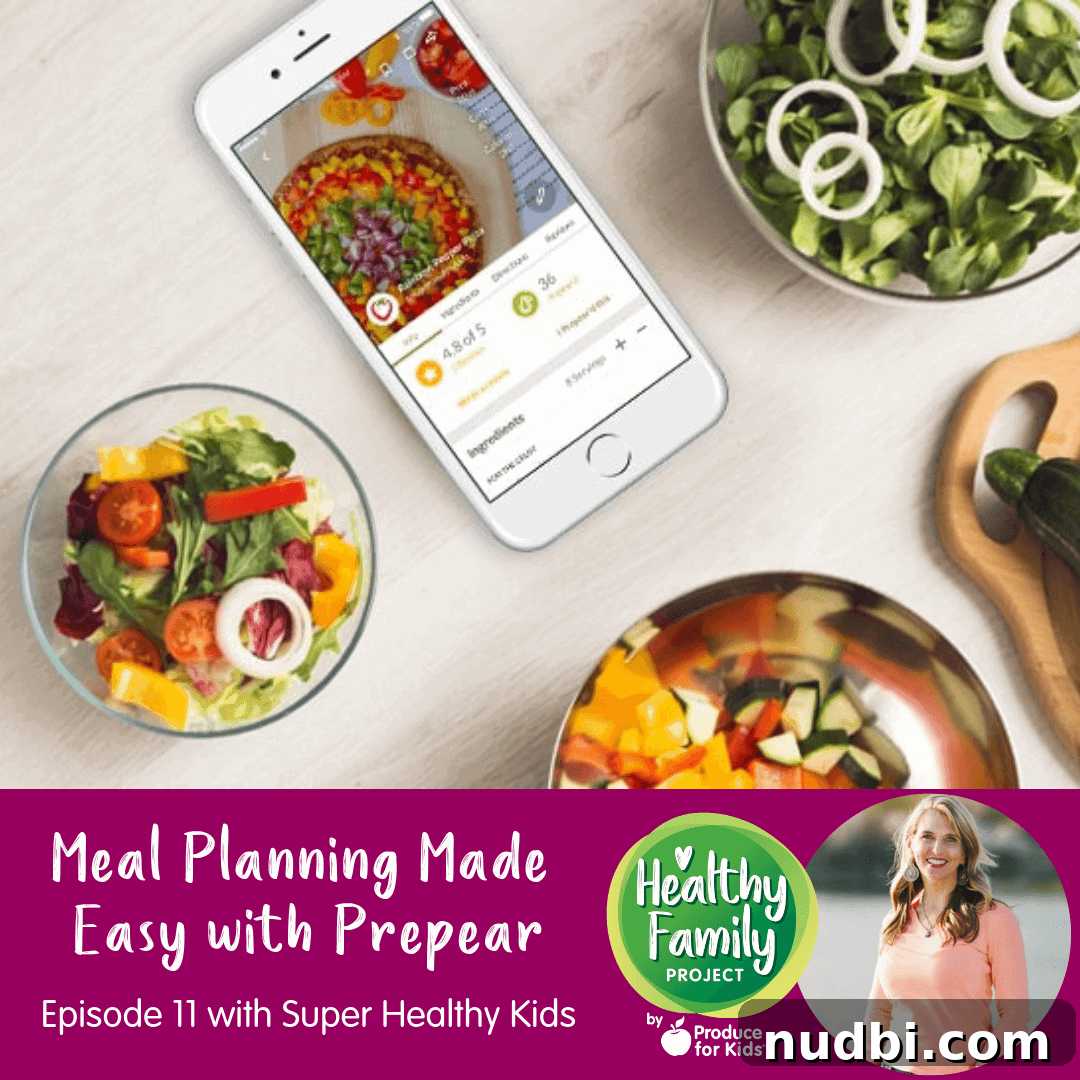
Unlock Effortless Family Meal Planning with the Prepear App
In today’s fast-paced world, preparing wholesome, nutritious meals for your family can feel like an overwhelming task. Juggling busy schedules, diverse dietary preferences, and the constant question of “what’s for dinner?” often leads to stress and less-than-ideal food choices. But what if there was a simple, intuitive solution to revolutionize your kitchen routine? Welcome to a deeper dive into the world of smart meal planning, featuring the innovative Prepear app, brought to you by the visionaries behind Super Healthy Kids.
In Episode 11 of the Healthy Family Project podcast, titled “Meal Planning Made Easy,” we had the distinct pleasure of sitting down with Amy Roskelley, the inspiring founder of Super Healthy Kids. Amy shared her journey and unveiled the game-changing Prepear app, designed to streamline your entire meal preparation process, infuse your home with delightful new recipes, and foster healthier eating habits for every member of your family. This comprehensive guide explores how Prepear empowers you to take control of your family’s nutrition with unprecedented ease and connectivity.
Meet Amy Roskelley: A Passion for Healthy Families
Amy Roskelley’s journey into the world of family nutrition began in 2007 with the founding of Super Healthy Kids. Her mission was clear: to inspire families everywhere to embrace a diet rich in fruits and vegetables, laying the foundation for lifelong health and vitality. With a solid background in health education and an unwavering passion for fresh food and fitness, Amy recognized a critical need for practical, accessible tools that empower parents to feed their children well.
As a busy mom to three teenagers, Amy intimately understands the challenges parents face in the kitchen. Her personal experience fuels the philosophy behind Super Healthy Kids, where she consistently shares delicious, family-friendly recipe ideas and actionable strategies for encouraging children to eat more healthfully. From overcoming picky eating to integrating more produce into daily meals, Amy’s insights are born from real-life experience, making her advice incredibly relatable and effective.
The evolution from a thriving blog to the Prepear app was a natural progression for Amy and her team. Originally conceived as a mobile-friendly way to deliver Super Healthy Kids’ popular meal plans, the app quickly grew beyond its initial scope. Realizing its potential to serve a broader audience with unparalleled functionality, it was rebranded as Prepear. This expansion reflects a dedication to making healthy eating accessible to everyone, not just those following specific plans, emphasizing the core belief that good nutrition should be simple and enjoyable for all.
Introducing the Prepear App: Your Ultimate Meal Planning Companion
The Prepear app is more than just a recipe organizer; it’s an all-encompassing platform designed to simplify every aspect of meal planning. Whether you’re a seasoned chef or a kitchen novice, Prepear offers intuitive features that make healthy eating a sustainable reality for your family.
Seamless Recipe Management and Discovery
One of Prepear’s standout features is its unparalleled recipe management system. Gone are the days of scattered recipe notes, forgotten bookmarks, and endless scrolling through websites. Prepear offers a centralized hub for all your culinary inspirations:
- Discover New Recipes: Explore a vast library of delicious and nutritious recipes curated by Super Healthy Kids and other health-focused publishers.
- Import Your Favorites: Effortlessly import recipes from any website on the internet with a simple link. For those cherished family recipes passed down through generations, you can easily type them in or copy-paste, ensuring no beloved dish is ever lost.
- Organize with Ease: Create custom collections to categorize your recipes. Imagine having a dedicated collection for “Weeknight Dinners,” “Party Favorites,” or “Rotisserie Chicken Makeovers.” This organization saves you precious time and makes finding the perfect meal a breeze.
Automated Grocery Lists for Effortless Shopping
Prepear transforms grocery shopping from a chore into a seamless experience. Once you’ve selected your recipes for the week, the app automatically generates a comprehensive grocery list. But it goes a step further:
- Smart Pantry Feature: Say goodbye to buying ingredients you already have. Prepear allows you to log items in your virtual “pantry” (like salt, flour, common spices), ensuring they won’t clutter your shopping list.
- Future Integrations: The team is actively working on integrating with popular grocery delivery services like ClickList, aiming to take you from recipe selection to ingredients at your doorstep in just a few clicks. This promises to make meal preparation more convenient and affordable than ever before, rivaling traditional meal kit services at a fraction of the cost.
Empowering Nutritional Insights
Understanding the nutritional value of your meals is crucial for maintaining a healthy lifestyle. Prepear provides invaluable insights, even for your oldest, most treasured recipes:
- Automatic Nutrition Data: For many recipes within the app, and even for those you import, Prepear calculates nutrition data. With a vast database of ingredients, the app strives to accurately provide calorie counts, macronutrient breakdowns, and more.
- Ingredient Verification: The app helps verify ingredients against its database, ensuring that the nutritional information provided is as accurate as possible. This feature empowers you to make informed decisions about your family’s diet, even for those “secret” family recipes whose health metrics were previously unknown.
Flexible Meal Planning Options: Free vs. Paid Upgrade
Prepear caters to every user with both free and premium options:
- Free Version: Enjoy all the core functionalities – importing recipes, organizing your cookbook, planning your meals on a calendar, and generating grocery lists. This free tier is perfect for anyone looking to bring order to their kitchen and start planning more effectively.
- Paid Upgrade: For those who desire additional support and convenience, the paid upgrade offers curated meal plans. This means the planning is done for you, with pre-selected recipes, automated grocery lists, and verified nutrition data. You can easily switch between various diet-specific plans each week, adapting to your family’s evolving needs and preferences.
Diverse Diet-Specific Meal Plans
Recognizing the growing prevalence of dietary restrictions and specific health goals, Prepear offers a rich variety of expert-designed meal plans:
- Super Healthy Kids Meal Plans: Our foundational plans, packed with fruits and vegetables.
- Vegan Plans: Collaborations with experts like Cory from Lean Green Dad (a past Healthy Family Project podcast guest!) offer delicious plant-based options.
- Paleo Plans: Provided by contributors like Faith Food and Fitness, catering to specific dietary needs.
- Real Food Plans: From advocates like Lisa Leek of 100 Days of Real Food, focusing on whole, unprocessed ingredients.
This extensive selection ensures that every family, regardless of allergies or lifestyle choices, can find a meal plan that works for them, making healthy eating inclusive and manageable.
The Broader Benefits of Effective Meal Planning
Beyond the convenience offered by the Prepear app, adopting a consistent meal planning routine offers a cascade of benefits for your family and household:
- Saves Time: Eliminate daily stress over “what’s for dinner?” and reduce last-minute grocery runs.
- Saves Money: Plan meals around sales, reduce impulse purchases, and minimize food waste.
- Promotes Healthier Eating: Consciously incorporate more fruits, vegetables, and whole foods into your diet.
- Reduces Stress: Bring a sense of order and calm to your kitchen and daily routine.
- Fosters Family Engagement: Involve everyone in the planning and preparation, building essential life skills.
Meal planning is not just about eating; it’s about reclaiming time, saving money, and creating a healthier, happier family environment.
Engaging the Whole Family in Meal Preparation
Prepear isn’t just for parents; it’s a fantastic tool for involving children in the meal planning and cooking process, fostering independence and culinary skills from a young age.
- Visual Engagement for Younger Kids: Print out the weekly meal plan with pictures and tape it to the fridge. This allows younger children to see what’s coming, get excited about their favorite meals, and even mentally prepare for less preferred options, reducing mealtime battles.
- Empowering Teenagers: Older children can create their own Prepear accounts to curate family favorite recipes or explore new ones. This teaches them essential life skills, whether they’re making dinner alone at home or preparing to move out and cook for themselves.
- Assigned Cooking Nights: Encourage kids to choose a recipe from the app for their assigned cooking night. Prepear will automatically add the ingredients to the family grocery list, making it easy for you to support their culinary endeavors. This collaborative approach instills a sense of responsibility and ownership over family meals.
By involving children, meal planning becomes a shared family activity, strengthening bonds and equipping them with valuable knowledge for a healthy future.
Your Voice Matters: Healthy Family Project Listener Survey!
We are incredibly grateful for your continued support of the Healthy Family Project Podcast! To ensure we’re always delivering the most relevant and engaging content, we’d love to hear from you. Please take just 5 minutes to complete our listener survey and help us shape future episodes. Take the survey here.
Stay Connected: Healthy Recipes & Tips in Your Inbox
Don’t miss out on fresh inspiration! Sign up for the Healthy Family Project e-newsletter to receive healthy recipe ideas, our latest blog posts, and more directly to your inbox each week. It’s your weekly dose of motivation for a healthier family lifestyle.
Join Our Community: Healthy Family Project Facebook Group
Become part of our thriving community! Join the Healthy Family Project Facebook group. This exclusive group serves as a supportive space for parents and caregivers to discuss all aspects of raising a healthy family. From navigating picky eaters and strategizing to get more fruits and veggies onto plates, to exploring family fitness and mental wellness, we welcome everyone to share insights, ask questions, and connect with like-minded individuals.
Listen to Episode 11: Meal Planning Made Easy
Want to skip straight to a hot topic? See time stamps below. But of course, we recommend listening all the way through!
- 2:30 Meet Amy
- 3:33 How Super Healthy Kids got started
- 7:34 What is the Prepear app?
- 10:05 How to meal plan with the Prepear app
- 14:47 Nutrition data available through the app
- 17:30 Diet–specific meal plans
- 19:06 How to get the kids involved
- 22:53 How to connect with friends
Connecting Through Food: The Prepear Food Feed
Amy shared that Super Healthy Kids’ core mission is “health and togetherness through food,” and the Prepear app truly embodies this by offering a unique social component: the Food Feed. This feature allows users to connect with friends and see what meals they are planning, fostering a sense of community and providing endless inspiration.
By following friends, you gain access to a personalized feed where you can discover new recipes, bookmark exciting dishes for your own cookbook, and even share photos of your culinary creations. This dynamic platform encourages users to support each other on their healthy eating journeys, sharing best practices and overcoming challenges together. Whether you’re seeking inspiration, dietary support, or simply a way to connect with others who share a passion for good food, the Prepear Food Feed offers a vibrant and supportive environment.
As Amy highlighted, this social aspect is crucial for building a collaborative and empowering experience, connecting people through food on various levels – from local friends borrowing ingredients to sharing ideas across different dietary approaches. It’s a testament to the power of community in achieving shared health goals.
Relevant Links:
- Family Fresh Meal Plan
- Lean Green Dad’s Podcast Episode
The Healthy Family Project Podcast: Your Source for Inspiration
The Healthy Family Project Podcast is your bi-weekly companion for engaging conversations covering hot topics in the world of health, food, and family. Each episode is designed to infuse a dose of fun while providing practical insights to help families smoothly transition into a fresh and healthy lifestyle. From expert interviews to actionable tips, we’re dedicated to supporting your journey toward a healthier household.
Don’t miss out on new episodes! Be sure to subscribe on Apple Podcasts, Google Podcasts, Spotify, or your preferred podcasting platform. If you enjoy an episode and find it helpful, please consider leaving a rating and a comment – your feedback helps us reach more families in need of inspiration and guidance.
Are you an expert in health, food, or family wellness with a compelling topic idea? We invite you to be a guest on the Healthy Family Project podcast! Please contact [email protected] with your proposal for consideration. We are always looking for new voices to enrich our conversations and empower our listeners.
Make sure toPIN IT!
Transcript for Episode 11
This transcript was produced by Otter.Ai. Please forgive any misspellings and grammatical errors.
00:13
Welcome to the healthy family project by produce for kids, covering the hot topics in the world of health,
food and family with a dose of fun. Hi, everybody, we have several episodes now that touch on different
aspects of successfully meal planning. So it only made sense to bring our friend Amy from super healthy
kids on today to talk about the new meal planning app that super healthy kids has recently launched. You
guys are gonna have to bear with me today I’m just getting over a virus that took a little toll on my voice.
So I guess TOS the TOS The Back to School germ season. So Amy is the founder of super healthy kids,
which came to life in 2007. The website was designed to inspire families to eat more fruits and veggies
for lifelong health. And Amy is going to talk a little bit more with us about kind of the inspiration behind
super healthy kids and how they got started. Once we we dive into our chat, Amy has a background in
health education and a passion for fresh food and fitness. So she is a mom to three teenagers who will
eat almost anything, anything and everything I’m sure. So we had a chance to talk to Jackie Vega, also
from super healthy kids, the super healthy kids team back several episodes ago about mindful eating. So
we’ll link up to that episode in our show notes so that you can learn how to successfully meal plan with
the new prepare app. And then you can go back and kind of talk about listen to what Jackie has to say
about mindful eating. And then Okay, so today we’re gonna get on with Amy and talk about super healthy
kids newest endeavor the app prepare. So that, you know, we know that meal planning is an area of
interest for our listeners, and this app is about to make your meal planning life even easier. So let’s get
started. Hi, Amy, welcome to the healthy family project.
02:27
Hi, Amanda, thank you for having me.
02:31
We are so excited to talk to you today. I I’m battling a little bit of a throat thing, but I wasn’t gonna pass up
this chance to get on with you and, and chat. So for years, our friends at super healthy kids have been
helping families get on the right track with amazing registered dietitian approved meal plans and recipes.
And now they have an added extra element to the mix to help meal planning become even easier for
families. So Amy’s here today, we’re gonna chat a little bit about their new app. It’s called prepare, get it
with the pair. But before we hear about this amazing new meal planning tool, I always like to kick things
off with a personal intro. Amy, I know you have a personal mindful eating story yourself, which really I
know touched our team over here, when you did share that story. So can you tell us a little bit about what
inspired you to start super healthy kids and then maybe parlay into what inspired you to branch out to the
new app?
03:33
Yeah, of course, it was 2007. And I have a degree in health education. I was working at the health
department. And I was just starting my family I have three kids and they were like ages five, three, and
one or something like that. Um, but I really was excited about teaching my kids to eat better, and to
choose fruits and vegetables whenever they could. And so as I transitioned out of working from the
health department to just kind of being a full time mom, I couldn’t sit still and blogging was just getting on
the scene at that time. And so I just started sharing the ideas I had for recipes and just healthy, nutritious
family meals and just kind of also strategy things that were working with my kids and just kind of my
efforts to get them to eat better. At the same time. I had come out with a product I was selling and it was
kind of actually the real reason I started super healthy kids was I had created a plate that’s much like
Choose My Plate today but it was before when we were still teaching the my pyramid right. So we had
the plate to encourage fruits and vegetables for kids and I was Trying to sell that and just sharing and
sharing the recipes to support the plate concept on super healthy kids. So that was my story for a few
years until I decided to get into meal planning because I just saw how effective it was on making it a
reality for families that wanted to feed their kids better. And so I, I brought on Natalie, who is my business
partner now, but at the time, she was my neighbor. And I knew she was a registered dietitian. And so I
wanted to just really, um, pack those meal plans full of fruits and vegetables, specifically trying to make
half of our meals, fruits and vegetables. And so we’ve been in the meal planning slash blogging slash
selling plates face for, for the whole 10 years. It’s 11. Now, um, but that was kind of the history of it. I’ve
just, I just, I love nutrition. And I love the fact that I’m throughout all of the research. And all of the fad
diets, the thing that’s been most consistent is that fruits and vegetables are good to include in your diet.
06:21
Yes, that that’s I feel like tried and true. That’s never gonna go away.
06:25
Never. I love it. I love it. So that was easy to decide to focus on.
06:32
Wonderful. Well, I can tell I can’t say it’s, it’s really interesting. So on the podcast, a lot of our episodes
when we talk about what inspired different people to do what they do, I feel like success stems from
being useful. And so, you know, or being passionate about something, and, and so it just seems like, you
know, everyone says, Well, I wanted to share information, I wanted to share my recipes, or I wanted to
help people or help my family, you know, and it kind of, it kind of moved into this thing that becomes you
know, your world or your business or your blog, your website. So it’s it’s just wonderful to hear another
another story, you know, to maybe inspire even someone out there listening who might be thinking about
going down that down a certain path. So good stuff. And then what about prepare how that just kind of,
obviously fit into that meal planning and apps, everybody uses apps kind of, you know, just like an
extension.
07:33
Yeah. So that it’s funny how it evolved. Because initially, we started down that path just to have a way to
deliver our meal plans that we were selling on super healthy kids to deliver them in a mobile friendly way.
So really, people would just message us, because it was a desktop only, and like you got your PDF of
your meals. And people wanted something mobile friendly. And so you know, we hired a developer to
and a designer to help us start creating an app to support the super healthy kids meal plans. But in the
process, I It’s, I look back, and I’m like I can see how it happened. But we were just like, This is so good.
We can’t just have in for the super healthy kids meal plan. Just because functionality we put so much
work into it being like the perfect solution for like a real family that we decided to, to rename it so that it
wasn’t just for kids, specifically, but rename it to give it a more global appeal. And and then we also have
a free version of it so that everyone can use it to plan their meals. And I think we can talk about that in a
little bit. But what’s great about our platform is it’s so easy to plan your own meals. But then if you don’t
want to plan your own meals, the paid version is where we do it for you. It’s the perfect blend of a
resource that you can anybody can use it, but if you just want a little more help in that situation then then
we just do it for you for the paid upgrade.
09:24
Oh, okay, so that yeah, that makes sense. I feel like if you need that extra help, it’s there if you want to
log everything in your own and take a stab at that. That’s super cool. Okay, so Alright, so the app you
can I think I had it on my desktop as well and I also had it on my phone. I’ve been playing around a little
bit with it and adding some some recipes into my my own personal meal plan. So what would you say?
Like highlight those capabilities? For anyone listening you know, if they’re downloading it for the first
time, what can they kind of look? For walk us through those first steps when they download the app.
10:03
Okay, so I’ll talk about the free version you. Once you get into the app, we already have a ton of recipes
already in there for you. But we also have a feature where you can upload or import your favorite recipes
from around the web, or just out of a cookbook. If you want to type in your recipes, you can copy and
paste, you can do all those things. So we have an easy importer. But we also have recipes that are
already there. But what’s great about prepare is, once you have your recipes, you can organize them into
collections, like I have a collection for, like my family party favorites, and for all my rotisserie chicken like
recipes. So I if I have a rotisserie chicken from Costco, I can just look at those so you can organize them.
So once you have your recipes organized, all you do is like drag them into a calendar for breakfast,
lunch, snack, dinner, whatever you want to plan, and the grocery list is automatically generated. And we
have a pantry feature. So you know, some lists that you create from recipes will include the salt, and the
flour and all the things that you might already have at home. Mm hmm. For you to put those in your,
quote, pantry so that it’s not cluttering up your list, and are working on the the ability to import that into
ClickList, or any of your grocery delivery company, so that you can really just go from recipe to meal on
the table in super easy. Just like one or two steps. I feel like it’s like the new HelloFresh or Blue Apron or
something. If you can get your groceries delivered and you have the recipe, then it’s a much less
expensive way to do meal delivery.
12:06
Yes, that sounds magical. So yeah, we’ve we’ve done some of those services, and I and I love those. But
I also feel like for me, I’m like, come on Amanda, you know, you could do this. You don’t need to spend
all that money, you know, for the budget, but yeah. Alright. So tell us Do you have to Okay, so I’ll back up
here. So sometimes I have big goals. When I download apps, you know, I read all of these articles that
are this is going to save you this much time or you’re going to organize your family’s calendar, you know,
and then I download and after a few weeks, my dreams are kind of crushed, because they don’t keep up
with it. So I think you’ve already touched on this a little bit a bit. It sounds like you don’t have to be super
tech savvy or you don’t have to use apps all the time. How would you who what’s the skill level for the
12:58
I think the skill level is simple. I answer all of our customer service emails, and there’s really very few
people who are confused by it. So that’s that is the good news. But what’s also great about this is I do
vacillate between like full weekly meal planning and like a day by day shotgun approach. Like today, I
just am like, Oh, I know, I have tortellini in the fridge. I’m just doing that, you know. So I think we all have
our level levels and ebbs and flow. But I do know that I spent enough time at the beginning to import all
my favorite recipes, that no matter if I’m meal planning or not, no matter what I’m doing, I’m always going
back to the app to find my recipe. So yesterday, I made zucchini bread. And I know my recipe. My
favorite recipe for zucchini bread is in my cookbook on the app. So it’s just I don’t have to look for it
anywhere. I don’t have to say, what was that website? Where Where did I like it? It’s all in one place. I
think for so long. We’ve been saving recipes in like 20,000 locations and
14:13
guilty over here. Yeah,
14:15
it just makes it a lot easier to stay organized.
14:19
That’s great. And so that was I was gonna ask. So there’s obviously you know, the internet is full of links
to wonderful recipes. But what about, like you mentioned zucchini bread, which is funny because my
grandma has this amazing zucchini bread recipe that you know, I have this stack of recipes in my kitchen
that are on like tattered paper that I’ve written down over the years from different relatives so so can I put
those into the app?
14:46
Yeah, you can and what’s even better is a once you do put it into the app, you can also get the nutrition
data for it and so some of those old recipes you may have never known like that one slice of bread was
600 calories, or something I
15:02
was gonna say, I don’t know, I don’t think produce for kids and super healthy kids, I don’t think my
grandma’s is as healthy as.
15:10
Yeah, some things you might not want to know. But if you were working, we have a huge database of
ingredients. And if you can match if each ingredient is verified, then we’ll give you the nutrition data. And
but we’re constantly every day matching ingredients for you on the back end. So even if it doesn’t show
up right away, it will, it will soon, but it can show up right at the eye right away, if you have a little blue
checkmark next to each ingredient that we’ve matched it to the nutrition data.
15:43
That’s really interesting. I I like I said, I’ve been playing around with it a little bit, but I don’t think I realized
that the nutrition data was available once you plug the recipe in so even if you plug it in from a website,
you find it’ll will it pull the nutrition data for you there? Or is it nutrition data pulled from the site? I guess
not all sites, okay. Yeah.
16:05
Yeah, we don’t pull it from the site just because we want it to be accurate. So we don’t know what they
how they’ve calculated it. So even if you import a recipe from an, from a website, you would have to go
back and edit that recipe to make sure each ingredient has a blue checkmark. And if it does, yeah, it’ll
show up right away.
16:28
Okay, cool. Awesome. All right. So so you can plug in the recipes from your favorite websites that you
find everything will be housed in one place, you can add your your grandma’s maybe unhealthy zucchini
bread. And then okay, so then you have to develop your meal plan. So it sounds like you just kind of drag
and drop those recipes to match the day. Is that correct?
16:52
Yeah. Well drag and drop if you’re on a computer, and it’s kind of just a tap and add to the calendar if
you’re on the app. So it’s easy that way. What’s fun about it too, as we are starting to get a lot of different
publishers to publish a meal plan. Like I said, the super healthy kids meal plan is the paid upgrade where
we do it all for you. Your shopping list is already done for you. All the all the recipes, have the nutrition
data, calculated all the things, but we also have Do you know, Cory? He’s in your area, the Lean Green
dad? Yes. And
17:31
he is actually he was a guest on episode. I can’t remember what episode it was off to off the link up to it
in the show notes. But he talked to us about easing into a plant based diet. So yes, yeah.
17:44
So he has a vegan plan on prepared. Oh, and yeah, and we also have faith food and fitness that has a
paleo plan on prepare. And we have Lisa leek from 100 days of real food that has like a real food plan.
So we’re hoping that future of this, what it’ll look like is we’ll just have a huge variety of meal plans,
depending on what your needs are, which I think is really helpful for today’s kids. Because so many
families have dietary restrictions and their kids are diagnosed with allergies or, or whatever it is. And so
that’ll make it easier for them to have options
18:31
for sure. Well, that’s great. So speaking of kids, I know that mine like to get their hands on any electronic
device that’s in a, you know, range for them. So do you think that this is something like I could see for
me, I could see my 12 year old really getting into this, you know, she she loves being in the kitchen, but I
think this is like a life tool for them. You know, like if they could start kind of getting in the mix. Do you
think there’s an opportunity to involve your kids in the app?
19:04
Absolutely. I have two ways we do that. Natalie’s kids are really young. And so she gets on and prints the
meal plan each weekend, just taped it to her fridge. So they they’re all in, in the know about what’s gonna
be for dinner. And there’s a little picture there. And so they look forward to seeing that my kids are in the
cooking stage. And so they have their own accounts, where my daughter who’s a senior in high school,
she’s really interested in having all of our family favorites, accessible to her. So when she leaves home,
or when she’s home alone making dinner she has she knows where to find all the recipes. And so she’s
been loving it for that. But also we get so many emails from parents with kids right in the middle there in
the tweens that they’re just starting to grow As the recipes and add them to the meal plan, like just they’ll
take the initiative to decide what they want to make, like there, if they have a dinner night that what I
think is really helpful for kids to have an assigned night for dinner, they can choose what that meals
gonna be. And then and then once it gets into the grocery list, then that’s easy for you to pick up so that
you can make sure you have all the ingredients for your kids to make it happen.
20:29
That’s great. I think, you know, we talk a lot about and I know you guys do, too, about how to involve
everybody, for multiple reasons, you know, it’s not one person should bear that responsibility. But also,
you know, someday they’re going to be out on their own and, and get a need to know how to how to do
some of these things on their own. I like the idea of, you know, knowing what the family favorites are,
and, and also for the younger ones to print that out. I never really I guess I never really thought about
like, for the younger ones for them to be able to see that photo of it’s kind of like, get ready. Because if
you don’t like this broccoli, it’s coming on Wednesday. So you have two days to like mentally prepare.
Yes. But I also think like, and I forget who I was who we had on, we were talking about, oh, I think it was
Holly Granger. Oh, she was on talking about picky eaters. And she said, if everybody gets to pick a night,
then nobody’s really like, you know, they feel like well, I get my day to pick the meal, you know, and then
they don’t feel I don’t wanna say forced, but like, they don’t have a say, you know, they they know their
days coming up. And they know that next week, they’ll have that chance to do it or eat what they want to
eat on that day. So that she had some really good thoughts around that.
21:54
Yeah, I think that’s so helpful for kids, they have their independence, yet they’re also learning to, to be
collaborative at the same time.
22:04
Right. And I know my 12 year old, she’s all over the place with pulling recipes to try out. And I’m like, and
I love it. But I oftentimes, like where did you get the recipe? What site? I don’t know, I just searched
healthy blueberry muffins. And you know, and so I’m like, Yes, but sometimes there’s more reputable
sites to look at for these recipes. So she and I were we’re working on it, because she’s like, I followed
this recipe. I know, that should have turned out this way. And like, alright, well. We’ll take a step back on
that one. So. Okay, so I think you talked a little bit about the upgrade. And I guess is there anything else
with the that we didn’t talk about with capabilities with the free version of the app,
22:51
um, you Well, we have one more part of it that we don’t talk about a lot, but it’s just the ability to connect
with friends so that you can see what your friends are, what they’re planning to just give you more ideas,
we have what we call the food feed, and you can like share a picture of, of what you made. And it’s funny
because super healthy kids post into that food feed all the time. And people you can see they’re
bookmarking that recipe to add to their own cookbook. And so it’s a great way to just connect. And
honestly, I should have started with this our mission as super healthy kids is health and togetherness
through food. And we really think that connecting is at the core of that. So just we want to build this in a
way that helps you connect with people through food on all sorts of levels. Like whether it’s what diet
you’re following, or like local friends, or just borrowing butter from somebody, you know, just a way to
connect everybody through their food.
24:03
I love that. That’s I mean today who who we are as a society, I feel like we can lift each other up we can
share best practices, you know, especially like as parents this worked this didn’t work and and so that is
definitely a good foundation a good mission to to build upon. And so the food feed is that. So do you see
just who you’re connected with in the app? Or do you see everybody what everybody’s posting?
24:33
Yeah, no, only the people that you have followed in the app that okay, so you can find somebody there’s
a little search bar at the top and you can find anybody that way. Um, but yeah, you’ll only see in the so if
you don’t have any friends. Prepare, it’s gonna be a ghost down and your food feed. But anybody can
follow me. I’m just Amy Ross Kelly in the app and I I try to share things I’m eating there. So, okay, at least
you have one friend,
25:06
yes, I was gonna say I didn’t know about this function either. So you’ll be my, my first friend. So funny.
Okay, so that will. So that’s awesome. I’m glad that we didn’t, we didn’t leave that out. And just so
everybody knows, we’ll be I’ll be linking up to in the show notes, any relevant links, anything that we’ve
talked about today, so you can kind of go back and, and touch on. And then we’ll do you know
timestamps as well in the show notes. So if there’s a topic that you want to kind of skip back to the
timestamps in there, so you can easily get to those, those topics, so, okay, so if you do not want to play
on your own meals, which I mean, busy working parents, you know, there’s family time, there’s other
things maybe might not just be something you want to do. So you have the option to upgrade.
26:01
Yes. And there are plenty of prompts inside the app, if you just want to follow them to upgrade. Or if you
go to super healthy kids.com and follow our meal plan link, or I’m sure in your show notes, you’ll have a
link to our meal plan. If you even subscribe to our meal plan, you can swap it once you’re inside for
somebody else’s, like you can switch it for the vegan plan or the Paleo plan or whatever.
26:30
Okay, so you’re once you once you upgrade, you’re not tied into whatever plan you select.
26:36
Correct. You can switch every week if you want.
26:40
Great. Well, I think I think that covers it. I mean, I need to like I said, I’ve been playing around a little bit.
But I think that it’s time to start adding all of those recipes in there. I love the idea of having having
everything in one place. And and you know, having it on the go having it on your phone or your iPad just
makes so much sense. Yes, yes, I
27:03
agree. Cool. Well, did
27:05
we forget did we not cover over something that you wanted to share in regards to the app? I know, we’re
running close to our time here. But we want to make sure that we’ve talked over everything.
27:18
You know, I think we got it all. I think at the end of the day, and I know you’ve covered this in your other
podcasts. But just having a plan is the number one way to to make it happen and to make sure that
you’re including those fruits and vegetables with your meals. Because if we don’t plan for it, then then we
don’t eat it. So
27:40
yes, Amen. All right. Well, thank you so much, Amy, for being part of the healthy family project. And all
that super healthy kids has done over the year to help create a healthier generation. And can you let
listeners know where they can find you find super healthy kids where they can connect with you online
through social media.
28:01
Yeah, we are everywhere. It’s super healthy kid. We’re everywhere. We’re everywhere. Actually, Twitter.
We’re just healthy kids. Um, and Pinterest or just healthy kids. But you can also do a search and find us.
If with you use the word super, but yeah, super healthy kids.com For everything else.
28:23
Awesome. And then for the app, they can either go to this website or search in your app store Google
Play or wherever you use your apps. Okay.
28:34
Yeah. And it’s prepare like the fruit, Pear.
28:38
Yes, I love it. All right. Well, thank you, Amy. So much. And hopefully we’ll have you back soon to chat
more.
28:46
Yeah, thank you, Amanda. Have a great day.
28:52
Thanks for listening in today. I know I have some new prepare options to check out that’s for sure. And I
can’t wait to organize all of my recipes in one spot. Hopefully that’ll help me kind of keep things on track.
And if you want to follow me on prepare, I’m Amanda Keefer. Over there. And like Amy said, you can
give her a follow as well. So download the app, but also head over to super healthy kids.com to check
out their meal planning resources and recipes that they have over there. I’ll post a link to the show notes
to get you to the right spot. So feel free to head to those shownotes. We didn’t mention today but if you
do decide to try out the upgraded version of prepare, you can snag a 30 day free trial before you commit
to that upgraded version. So that’s always nice to get kind of a test run. So finally, oh, it’s finally
Halloween. Yay. I love everything about Halloween. So of course it is mandatory to have lots of healthy
but yummy Of course, Halloween treats. For all of you over on producer kids.com, I’ll add a few of those
Halloween links to the show notes. But just take a look in our excuse me our recipe section of the
website and you’ll be able to, to kind of search for those. And then we have a Halloween themed Twitter
party coming up on October 11 at 4pm. So we’ll be announcing that hashtag shortly. So keep an eye out
for that on social media. And we also will be having fun with some of those freaky fruits that you might
find at the grocery store. So keep an eye on all of our social media outlets. were produced for kids on
Facebook, Twitter, Pinterest, Instagram, as well as YouTube. And of course and as always a big thank
you from the produce for kids family for your support. We’re really grateful for all of you and grateful that
we can have these conversations and create a healthier generation. So questions, comments and
episode ideas can be posted on healthy family project podcast.com. Be sure to subscribe talk soon.